
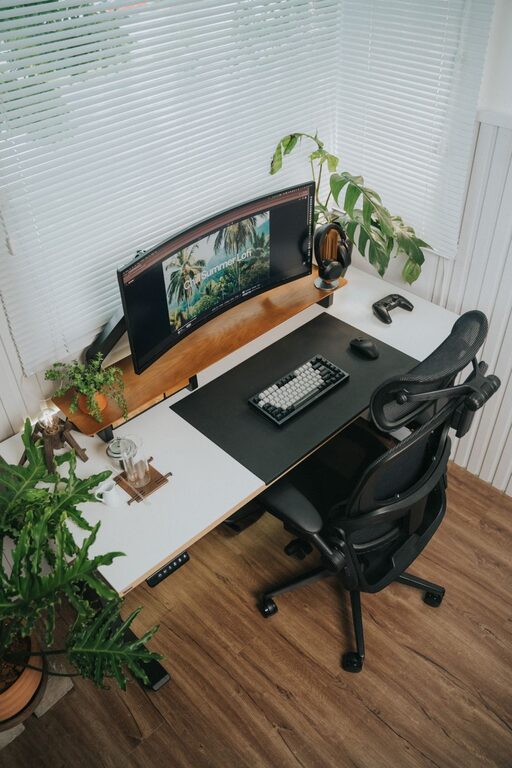
Essential Desk Setup Tips for Focus and Comfort
Creating a desk setup that enhances both focus and comfort can transform the way you work or study. A well-organized and ergonomically designed workspace not only boosts productivity but also helps prevent physical strain. Whether you’re working from home or in an office, following some simple tips can make a significant difference.
Why a Good Desk Setup Matters
Your desk is more than just a surface; it’s the environment where you spend hours concentrating and creating. An uncomfortable or cluttered setup can lead to distractions, fatigue, and even pain. On the other hand, a well-planned space supports your body and mind for better efficiency and well-being.
Choosing the Right Desk and Chair
Desk Height and Size
Aim for a desk height that allows your elbows to rest comfortably at 90 degrees when typing or writing. Standard desk heights range from 28 to 30 inches, but adjustable desks can offer personalized comfort. Besides height, consider the size of your desk. It should be large enough for your monitor, keyboard, and any essential tools without feeling cramped.
Chair Support and Adjustability
A good office chair is key to comfort and focus. Look for chairs with adjustable height, lumbar support, and armrests. Your feet should rest flat on the floor, and your back should be supported to maintain a natural curve. If your chair doesn’t have built-in lumbar support, a small cushion can help.
Monitor Placement for Eye Comfort
Position your monitor so the top of the screen is at or just below eye level. This helps keep your neck in a neutral position, reducing strain. The monitor should be about an arm’s length away from your eyes. If you use multiple monitors, arrange them side by side at the same height.
Keyboard and Mouse Positioning
Keep your keyboard and mouse close enough to avoid reaching. Your wrists should remain straight and relaxed while typing or clicking. Consider using a keyboard tray or wrist rest to maintain proper alignment. If you spend long hours in front of the computer, an ergonomic keyboard and mouse can also improve comfort.
Organize Your Desk for Efficiency
Declutter Regularly
A clutter-free desk helps clear your mind and reduce distractions. Keep only essentials on your desk and find storage solutions for other items, such as drawers, shelves, or organizers.
Use Desk Organizers
Desk organizers can hold pens, papers, and other small items neatly. This prevents mess and makes it easier to find what you need quickly.
Cable Management
Loose cables create visual clutter and can get in the way. Use cable clips, sleeves, or under-desk trays to keep cords tidy and out of sight.
Lighting: Bright but Gentle
Good lighting reduces eye strain and creates a pleasant workspace. Natural light is ideal, so position your desk near a window if possible. Avoid harsh overhead lights by adding a desk lamp with adjustable brightness and color temperature. Soft, warm light is generally better for focus.
Add Comfort with Accessories
Footrests
If your feet don’t comfortably touch the floor, a footrest can help improve posture and blood circulation.
Plants
Adding a small plant brings a touch of nature to your desk, which can boost mood and reduce stress.
Personal Touches
A few personal items like photos or art can make your workspace inviting, but avoid overcrowding.
Take Breaks and Move
No setup can replace the benefits of moving regularly. Follow the 20-20-20 rule: every 20 minutes, look at something 20 feet away for 20 seconds to reduce eye strain. Stand up, stretch, or take a short walk to refresh your body and mind.
Final Thoughts
Creating a desk setup that promotes focus and comfort doesn’t have to be complicated or expensive. By paying attention to ergonomics, organization, lighting, and personal comfort, you’ll build a workspace that supports your best work. Start with small changes and adjust as needed until you find the perfect balance for your needs.